
Play Your First Match
Your starting XI is set, tactics locked in, the pitch is waiting. Time for kick-off.
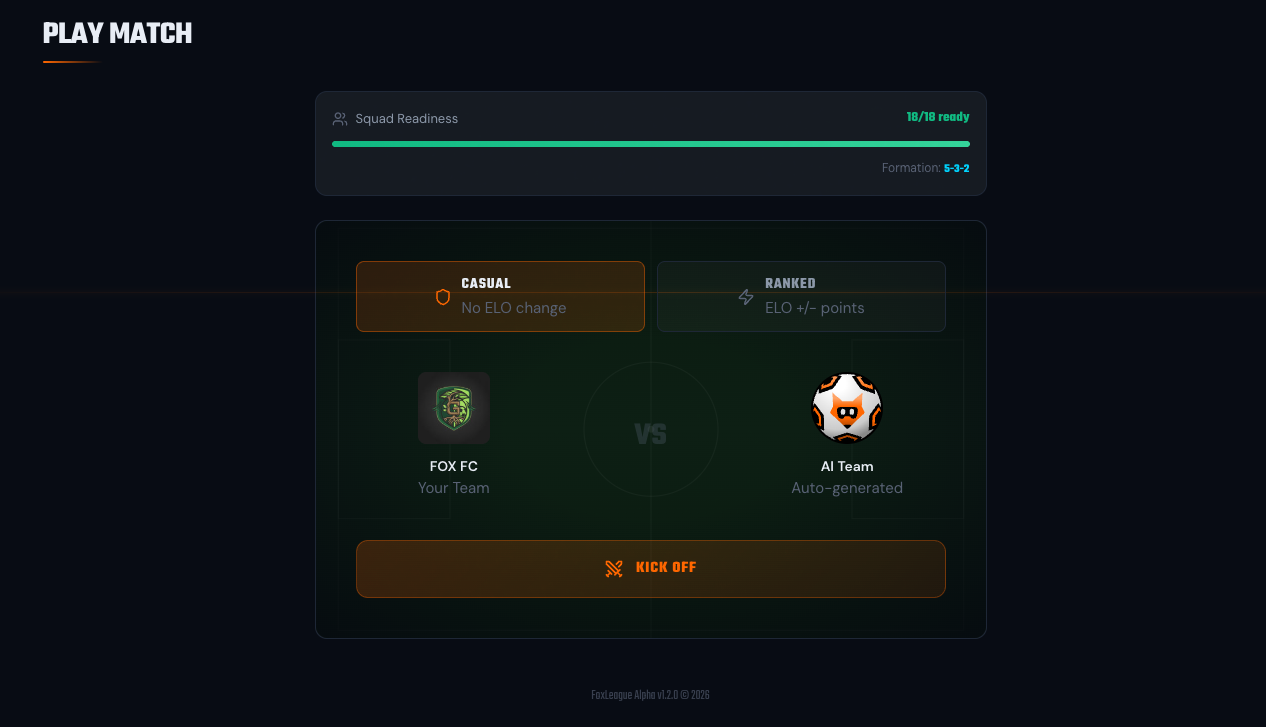
The flow
Section titled “The flow”- Open the Play Match tab
- Pick a match type: Casual or Ranked
- Click KICK OFF. If the match takes more than a few seconds to start, the screen reads Starting your match… with Waiting for a free match slot if all are busy. It starts by itself. When every match slot is busy, your match waits up to 30 seconds for a free one and starts by itself as soon as one opens. If none opens in that time, you see Servers are busy with other matches right now. Please try again in a few seconds.
- The teams take the pitch. Referee blows for kick-off
- Watch the Match Viewer. A top-down view of the match unfolding live, with goals, fouls, possession and a scrolling event feed
- The full-time overlay shows your final score and top performers
- Match goes to your History so you can rewatch it later. Every replay stays available, just like the result
Casual vs Ranked
Section titled “Casual vs Ranked”| Type | ELO impact | Best for |
|---|---|---|
| Casual | None | Practice and testing tactics against an AI opponent |
| Ranked | +/- ELO points based on opponent | Climbing the leaderboard, league promotion |
Both use your synced stats (the on-chain version of your players). Both count toward career stats. Neither awards player XP: casual matches are played against the AI and ranked matches do not award attribute XP. Match XP comes from Silver and Gold tournaments and 1v1 challenges, see Training.
After the match
Section titled “After the match”Three things happen:
- Career stats updated: goals, assists, tackles, passes, etc. tick up.
- ELO moves (ranked only): your rating changes based on the opponent, which drives your league placement.
- XP awarded (Silver and Gold tournaments and 1v1 challenges only, up to 3 XP-earning matches per player per day): every player on the pitch earns XP across multiple stats based on their on-pitch actions. If any stat’s XP crosses the 2,000 threshold, the stat bumps but is not synced yet. Until you sync, the Squad page and the Play Match screen show how much stronger your squad plays once synced (for example +X% squad power locked. Sync to unleash); on Play Match the banner’s button (Sync before kick off before a match, Sync to apply on a result screen) takes you to the Squad page to sync.
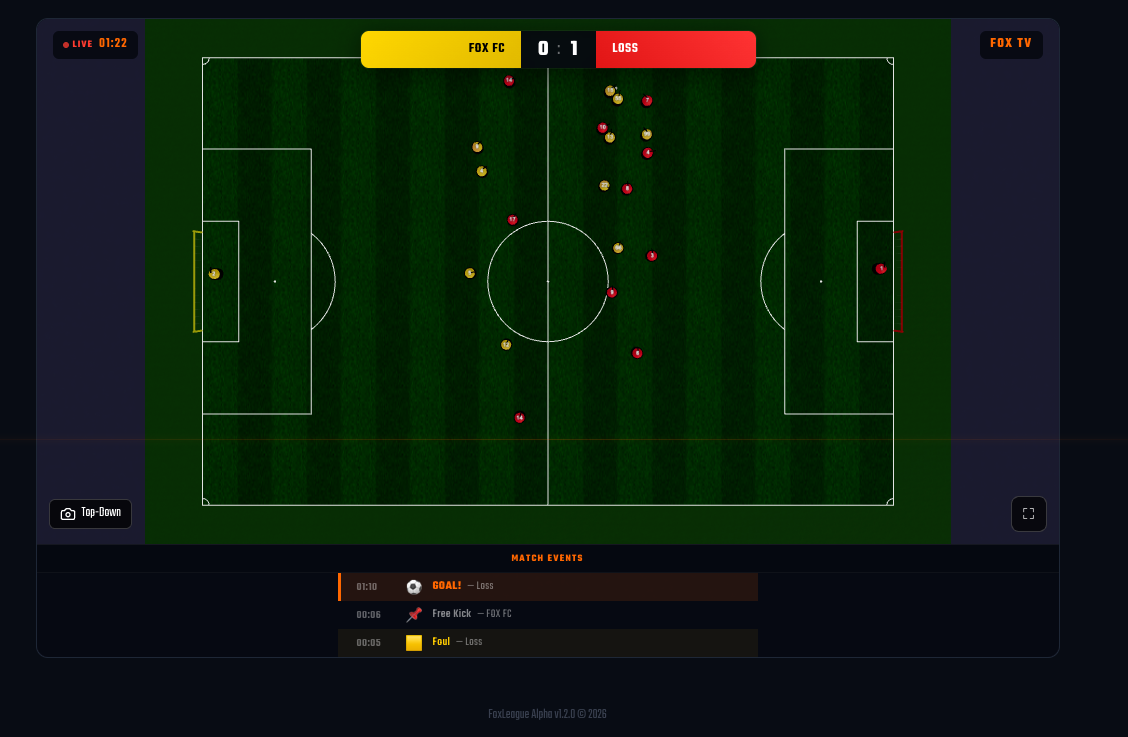
Controlling the Match Viewer
Section titled “Controlling the Match Viewer”The Match Viewer is fully interactive:
- Pause / Resume: use the bottom controls to halt or resume the action
- Camera: eight views. Top-Down (default), Overview, Left Goal, Right Goal, Left Sideline, Right Sideline, Left Mid and Right Mid. On a keyboard, keys 1 to 8 switch between them
- Match Events: scroll the feed below the pitch for key moments
- Stats: full statistical breakdown with per-player ratings
- Match Speed (Replay only): when rewatching a finished match from your History, switch to 0.5×, 2× or 4×. Live matches always play at real-time speed (1×).
If you need to step away, send the match to the background at any time and let it play out while you manage your club.
Play in background
Section titled “Play in background”A standard FoxLeague match features roughly 10 minutes of action (longer for extra time and penalties). Need to step away? Click BACKGROUND in the top-right to let your squad battle it out while you manage the club. The final score hits your History as soon as the referee blows the final whistle.
Want to speed it up or slow it down? Open the match later from your History to rewatch it in Replay mode at 0.5×, 2× or 4× speed. Every replay stays available: casual, ranked, tournament and 1v1. The first view of an older one can take a few seconds longer. XP and career stats already earned stay on your players.
What’s next
Section titled “What’s next”After your first match:
- Read Training (how to grow your players)
- Read Sync to Chain (the most important mechanic to understand)
- Read Match Types (casual vs ranked vs 1v1 vs tournament vs marketplace)
- Read 1v1 Challenges (head-to-head FOXSY stakes)
- Read Tactics & Formations (squeeze more out of your XI)
- Read Tournaments (formats, tiers, snapshot rules, prize pools)
- Read Fusion (breaking the rarity ceiling)
- Read Shop (condition recovery, XP booster, training slots)