
Quick Start
The shortest path to your first FoxLeague match. Skip the deeper docs for now; come back later for the full Getting Started walk-through.
1. Connect your wallet
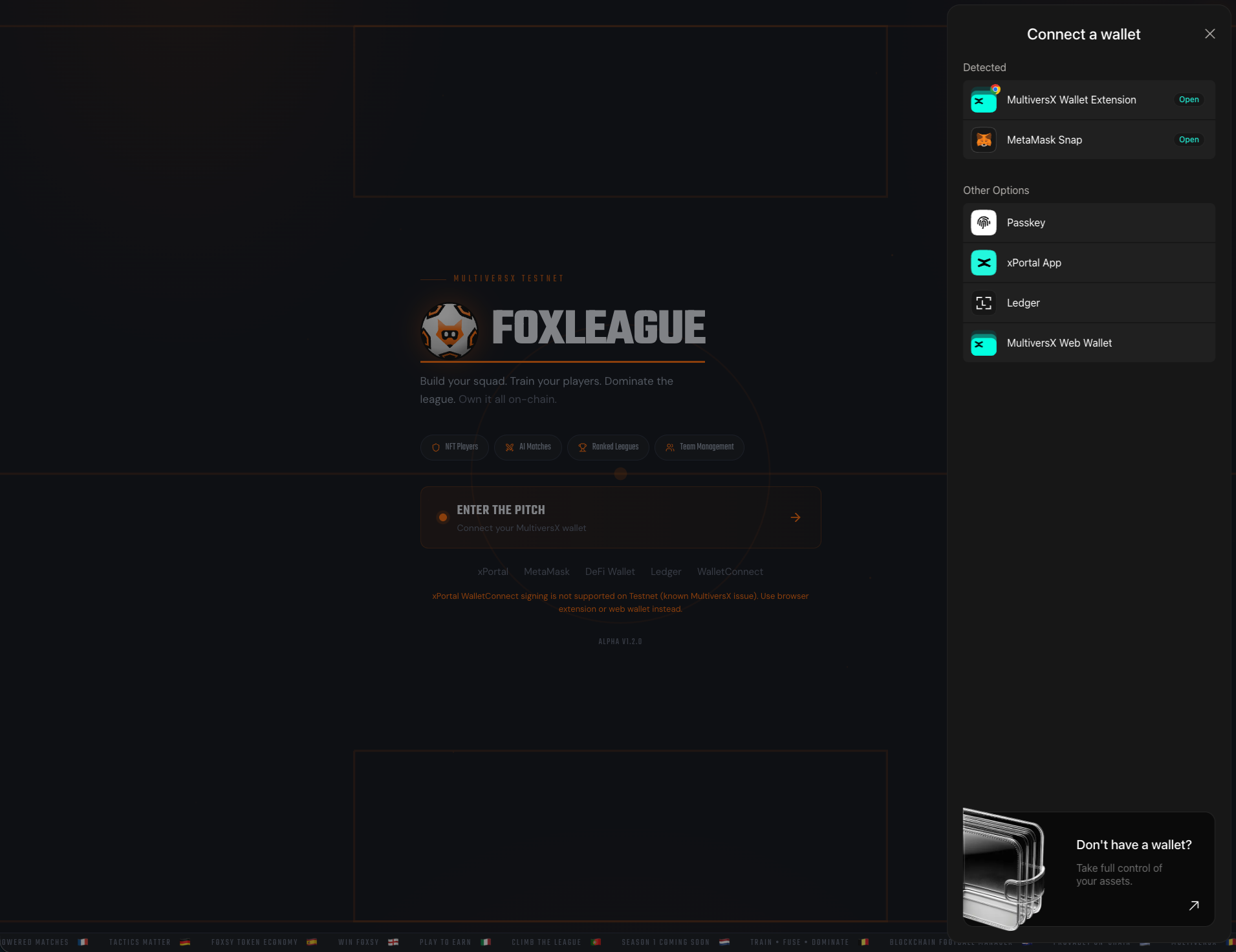
Section titled “1. Connect your wallet”Open foxleague.ai, click ENTER THE PITCH and pick a wallet: xPortal App, MetaMask Snap, MultiversX Wallet Extension, Passkey, MultiversX Web Wallet or Ledger. Approve the connection and sign the free verification message.
2. Get 5,000 FOXSY
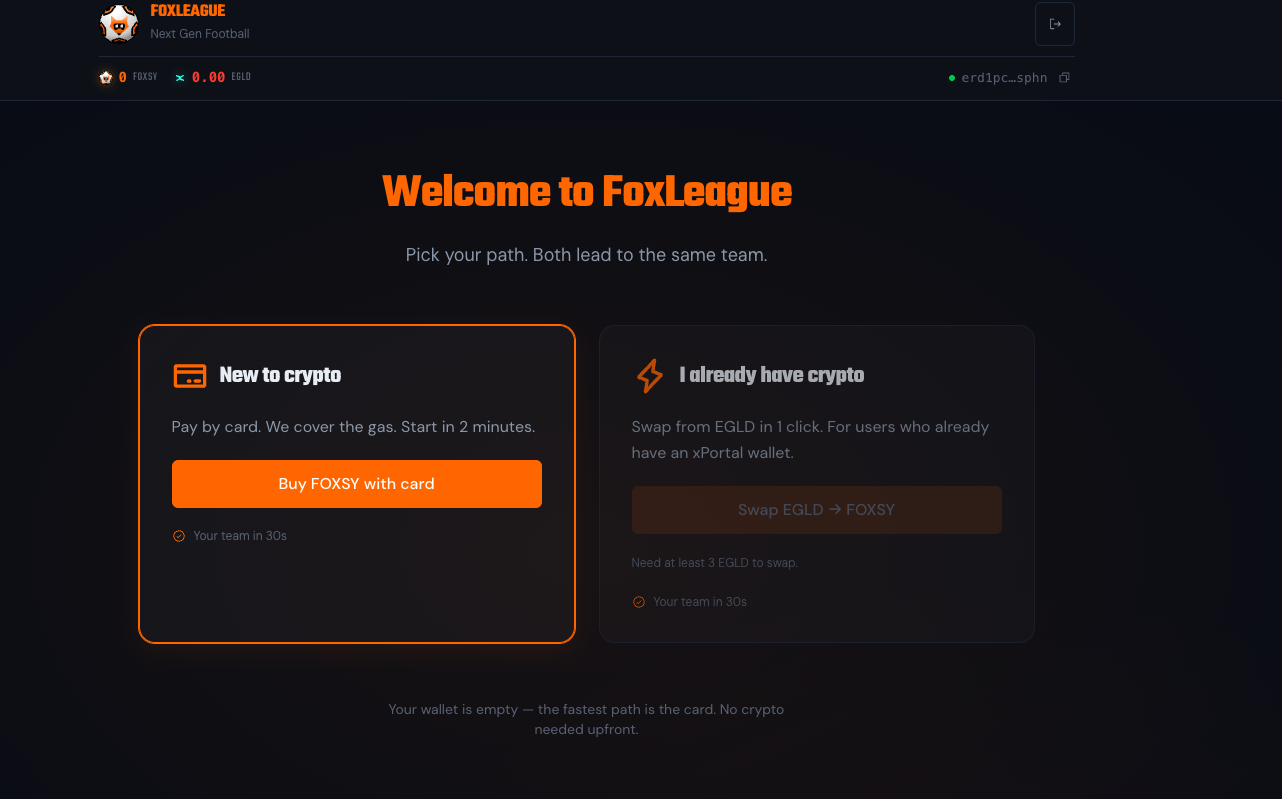
Section titled “2. Get 5,000 FOXSY”The one-time registration costs 5,000 FOXSY. Registering needs it already in your wallet: if your wallet holds it, you go straight to team creation. If your wallet holds EGLD or WEGLD instead, click Swap EGLD → FOXSY: a window buys the FOXSY you are missing on xExchange, in one transaction you sign (it pays its own small network fee in EGLD). From WEGLD it buys exactly that amount. From EGLD it buys at least that amount; any extra stays in your wallet as FOXSY. You can also buy FOXSY on an exchange and send it to your wallet. The Buy FOXSY with card or bank (coming soon) button on the registration screen stays disabled until buying by card or bank opens. FoxLeague pays the network fee for the registration itself, so you need no EGLD to start.
3. Name your team and create it
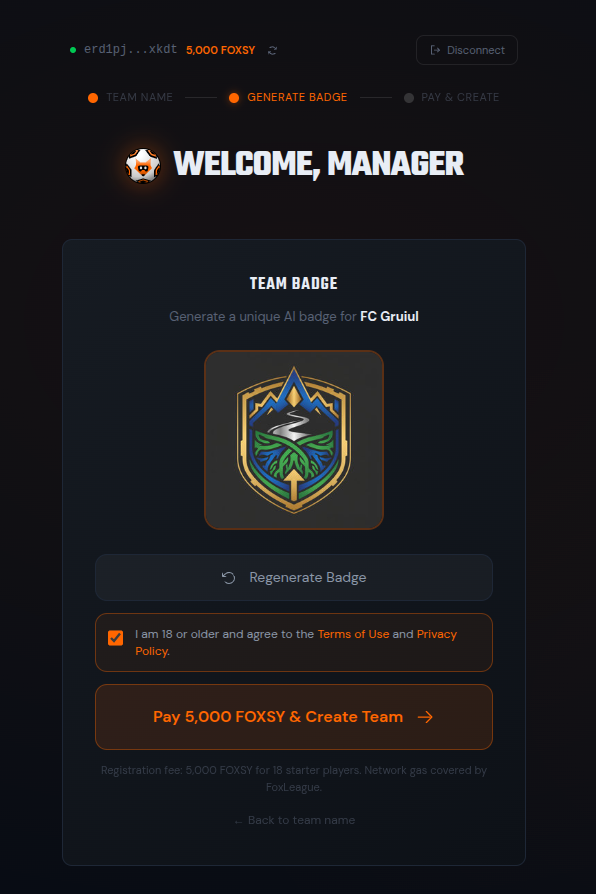
Section titled “3. Name your team and create it”Name your squad, keep or regenerate the AI badge, tick the Terms-of-Use disclaimer and click Pay 5,000 FOXSY & Create Team. Sign the transaction in your wallet. Eighteen player NFTs land in your wallet seconds later.
4. Tactics & Formation
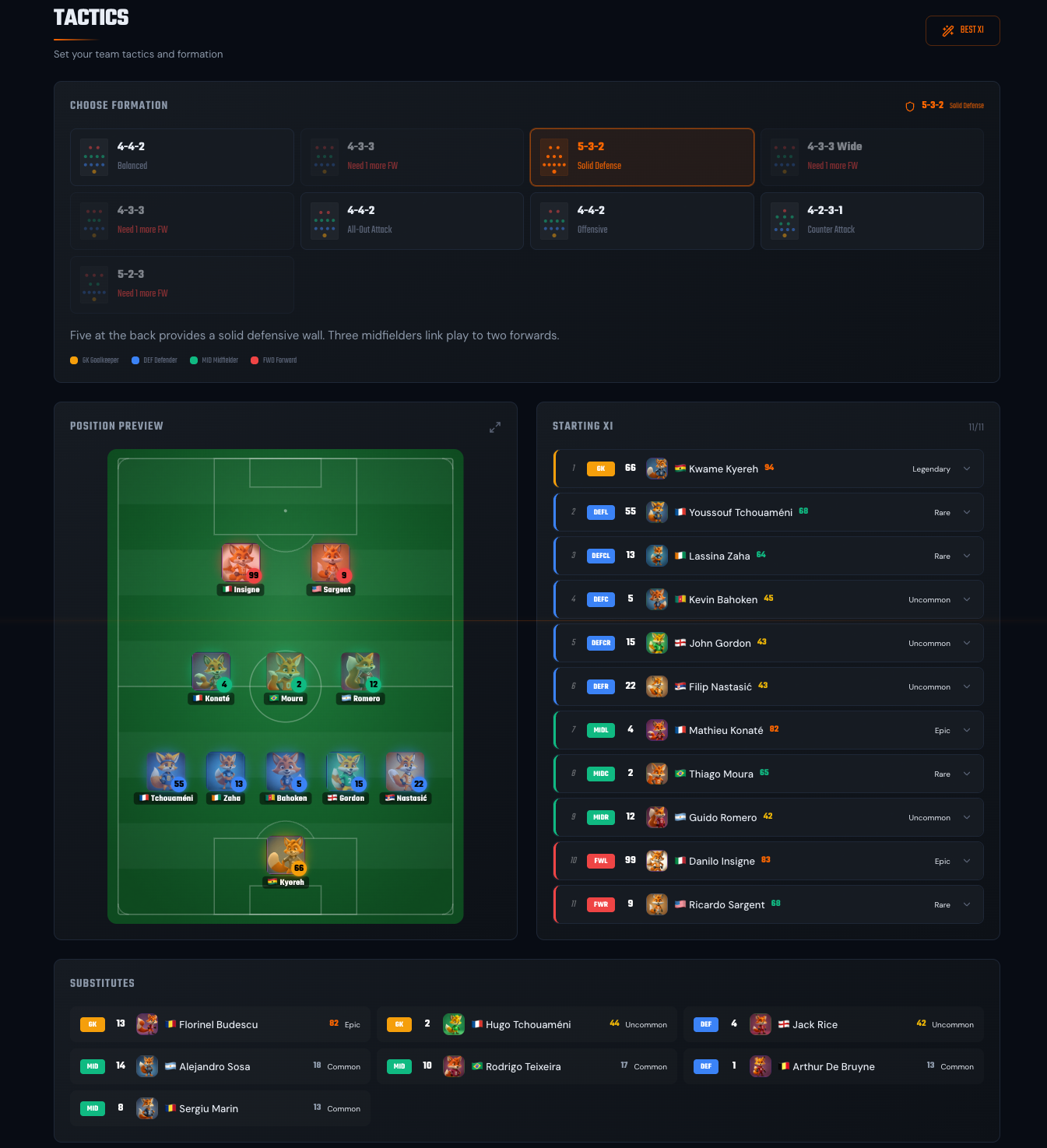
Section titled “4. Tactics & Formation”Open the Tactics tab. Pick a formation card (4-4-2, 4-3-3, 4-2-3-1 and others; each card names its play style). A new formation is filled with your best XI as a draft, so click SAVE to keep it. On your saved formation, BEST XI fills the strongest fit for each position and saves it at once. Defaults are sensible if you just want to play.
Tactics & Formations → · Full squad guide →
5. Kick off
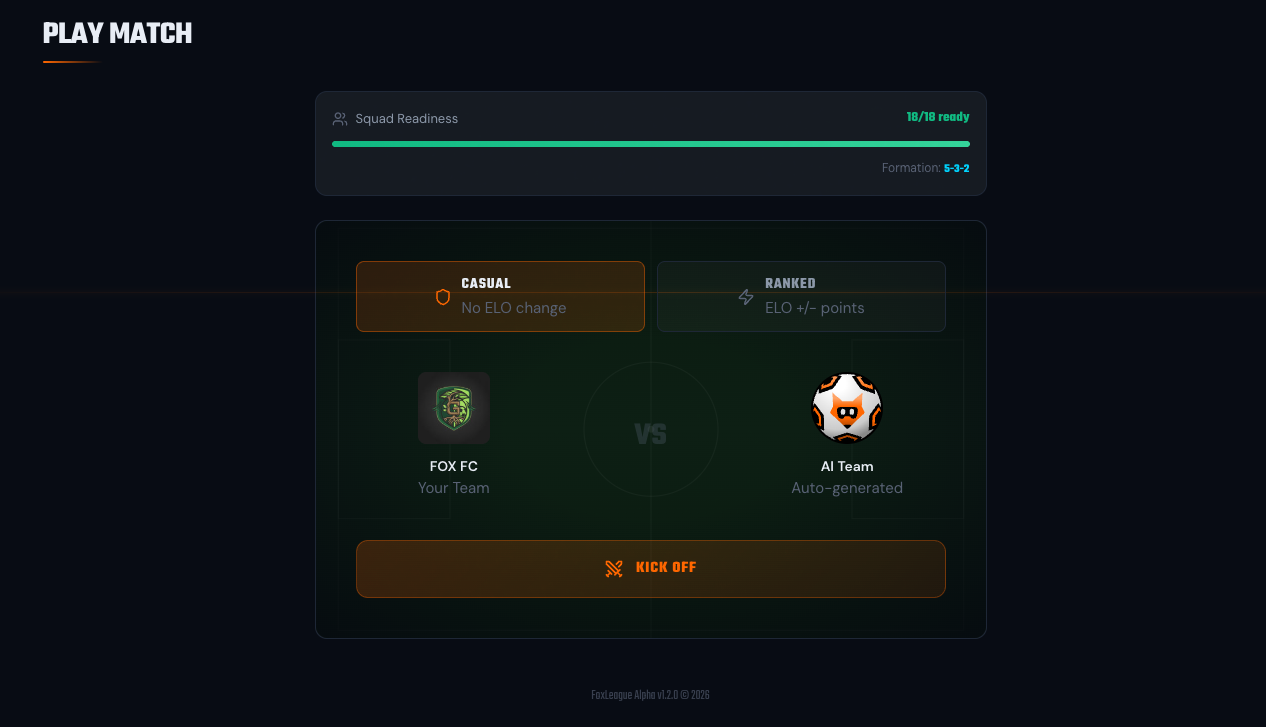
Section titled “5. Kick off”Open the Play Match tab, pick Casual and click KICK OFF.
6. Watch the match
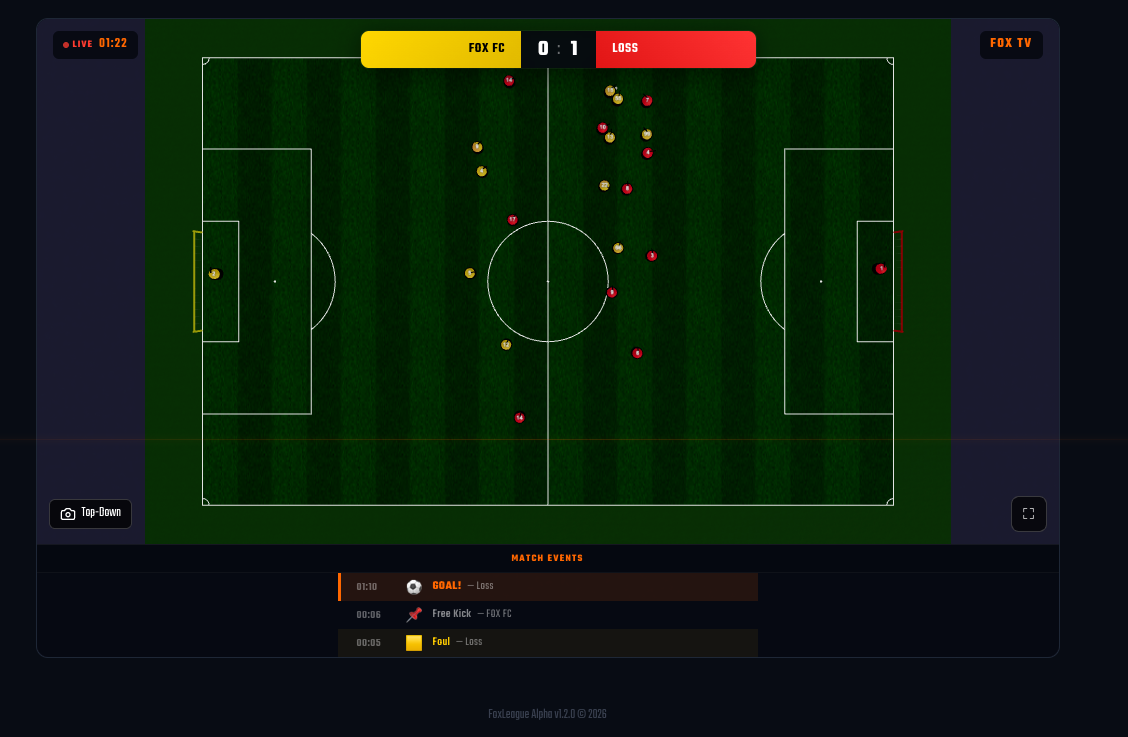
Section titled “6. Watch the match”A full-pitch top-down viewer opens with the live score, a scrolling event feed and the possession bar. Send the match to background if you want to manage the club in parallel; the final score lands in your History as soon as the referee blows the final whistle.
That’s it. You’re a FoxLeague manager.
Want the full picture? Start with Welcome to FoxLeague for the high-level loop, then walk through each Getting Started page in order.