
Match Types
FoxLeague offers four competitive contexts. All four follow the same core rule: matches use only your fully synced on-chain stats. Only the eleven starters who take the pitch lose condition; bench players pay nothing.
| Mode | ELO | Cost | Player XP | Stakes |
|---|---|---|---|---|
| Casual | No change | Condition only | None (AI opponent) | None |
| Ranked | +/- ELO | Condition only | None (currently off) | Leaderboard climb |
| 1v1 Challenge | +/- ELO (varies by tier) | FOXSY entry | Yes | 90% of pool to winner |
| Tournament | +/- ELO (Silver/Gold only) | FOXSY entry (Silver/Gold) | Silver/Gold only | 45/30/15% of pool by placement |
Attribute XP for your players comes only from paid play: Silver and Gold tournaments plus 1v1 challenges. Casual games are played against an AI team and grant none. Ranked XP is currently switched off. Bronze tournaments grant neither XP nor ELO.
Casual
Section titled “Casual”The relaxed mode. You play against an AI-generated team. No ELO change, no player XP; only career stats update.
- Best for: testing tactics, watching your team in action
- Cost: match action only consumes player condition (5 per appearance for each of the 11 starters; that is the base value, older players pay more as the aging ramp kicks in)
- Award: regular career stats for the 11 starters, no attribute XP
Pick this when you’re learning your squad or experimenting with formation/lineup.
Ranked
Section titled “Ranked”The competitive mode. ELO points move between you and your opponent based on the result.
- Best for: climbing the leaderboard, qualifying for league promotions
- Matchmaking: a random opponent within 150 ELO of you. The search widens to 300, then 500, if nobody fits; after that an AI team stands in. Your league is not used.
- AI stand-in: a ranked game against the AI still records the win, loss or draw. It moves no ELO.
- Condition: only you, the player who started the match, pay condition. The opponent drawn into your game pays nothing.
- ELO: wins gain points, losses lose points, draws split. Larger gap → smaller swing.
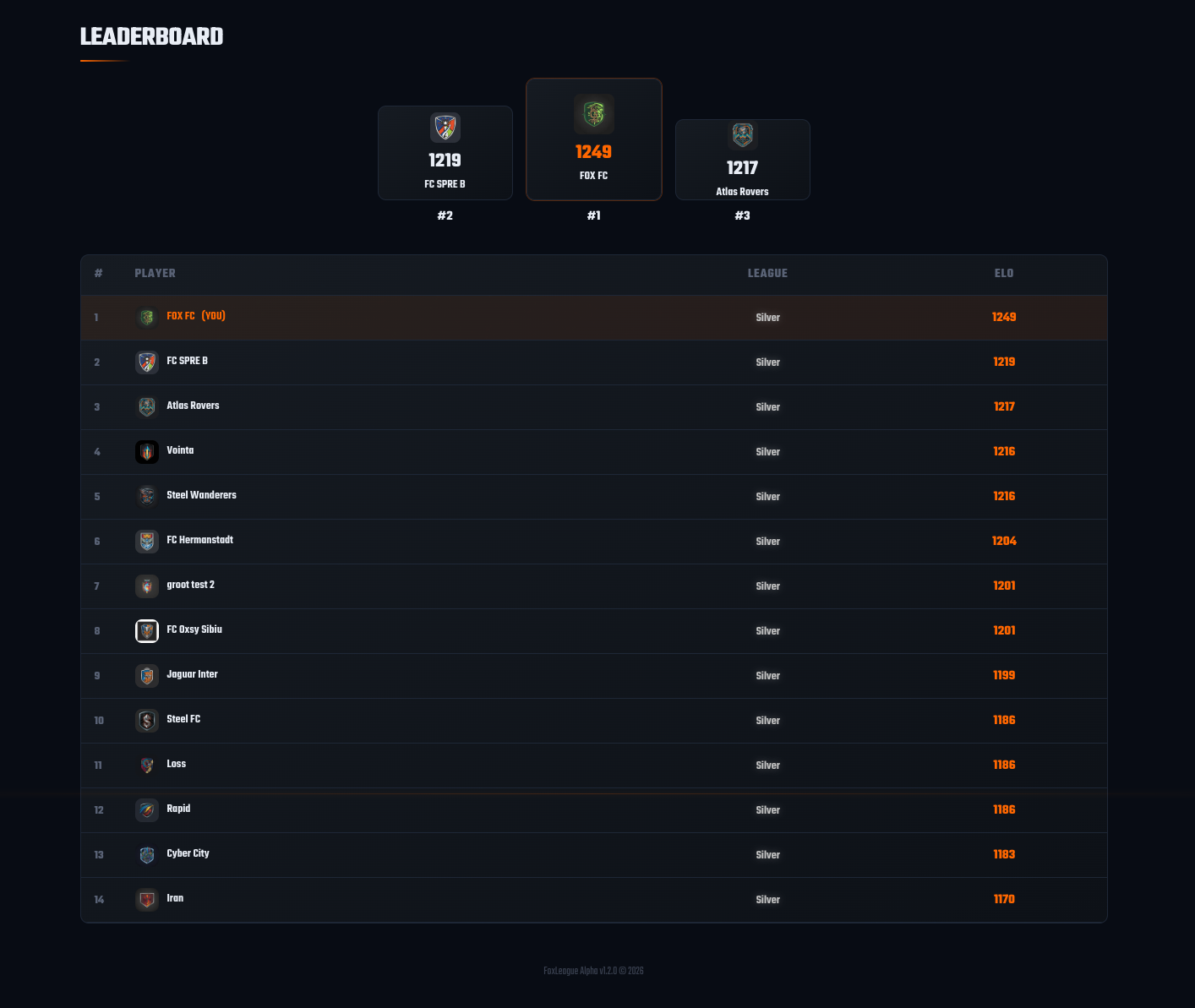
You see your ELO in the header and on the Leaderboard tab. The leaderboard is a single global ELO ranking across all leagues.
Daily limit and cooldowns
Section titled “Daily limit and cooldowns”Casual and ranked play share one daily budget with a few pacing rules. Tournament and 1v1 games do not count toward the cap or the ranked cooldown.
- Daily cap: 5 casual plus ranked matches per day that you start yourself. Being drawn in as someone’s ranked opponent does not count. The allowance resets at 22:00 UTC.
- Match cooldown: 2 minutes after any match before you can start the next one.
- Ranked cooldown: 15 minutes after your last ranked game, whether you started it or were drawn into it.
- Pre-match lockout: for 1 hour before a tournament or 1v1 match you cannot start casual or ranked play. You are not drawn in as a ranked opponent during that hour either. Developer tournaments do not trigger it.
1v1 Challenge
Section titled “1v1 Challenge”One-match showdowns against a specific (or open) opponent. You stake FOXSY, your opponent matches it, winner takes 90% of the pool, platform takes 10%, loser gets nothing.
- Best for: head-to-head stakes, calling out a rival, quick matches (~10 minutes, plus extra time and penalties if needed)
- Tiers: Silver (1,000-4,999 FOXSY) or Gold (5,000+). Bronze exists only for free developer challenges.
- Cap: one active 1v1 at a time per wallet
- Resolution: extra time then penalties if tied (1v1 must produce a winner)
Find them at the 1vs1 Challenges tab in the sidebar. Full mechanics on 1v1 Challenges.
Tournament
Section titled “Tournament”Multi-match formal events with locked lineups and FOXSY prize pools. Four formats (Knockout / Groups+KO / Round Robin / Swiss) and three tiers (Bronze / Silver / Gold). See Tournaments for full mechanics.
The headline rule: each match captures your formation, lineup plus synced stats at its strategy lock, about 30 minutes before that match’s kickoff. You can keep training, syncing plus adjusting tactics between games; whatever is synced at a match’s lock is what plays.
Tournaments are where the most FOXSY trades hands. Entry fees pool into prize money distributed 45% winner / 30% runner-up / 15% third-place / 10% platform fee (current split).
Match History
Section titled “Match History”Every match you play lands in History. Click any row to see:
- Final score, top performers, possession breakdown
- Stat bumps gained per player
- Watch the match in the Match Viewer at any time
- The lineup snapshot used for the match (so past matches show the right stats from the time they were played, not your current ones)
Upgrading your roster
Section titled “Upgrading your roster”Looking to refresh your squad between matches? Check out the Marketplace guide for listing, browsing, recent sales plus the wallet-to-wallet transfer cooldown.